Configuring the Xyce Executable
Xyce Studio runs simulations by driving the Xyce executable. Before the first simulation you must tell it where that executable lives.
Open the plugin configuration dialog with the Plugin Settings toolbar tool.
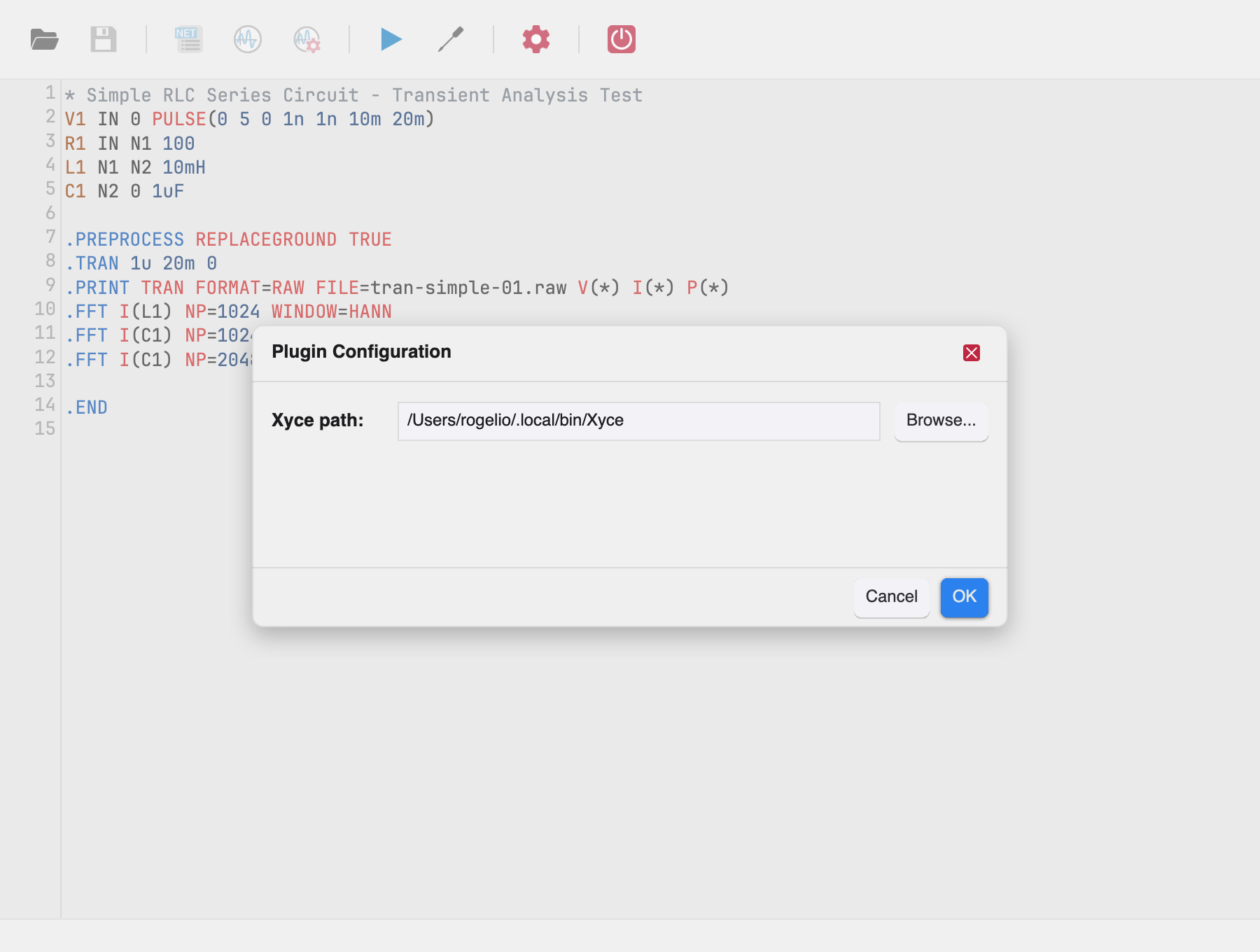
- Xyce path — the full path to the Xyce executable.
- Browse... — opens a file picker to select the executable.
Click OK to save. The path is remembered across sessions.
Validation
The dialog refuses to accept:
- an empty path — “Xyce executable path is required”
- a file that is not an executable — “Selected path is not an executable file”
Errors appear in red above the Cancel/OK buttons. Cancel, Escape, or the ✕ button closes the dialog without saving.